⌕
Automatic discovery
Find Wi-Fi Shellys on your local network and bring them together in one central device list.
All your Shelly devices in one place: the Shelly Firmware Manager runs directly on an ESP32, discovers devices on your local Wi-Fi network, and makes firmware versions and updates easy to see and manage through a built-in web interface.
The manager bundles the most important tasks for your Shelly devices into one compact web interface.
Find Wi-Fi Shellys on your local network and bring them together in one central device list.
15 Shelly devices at home? See at a glance which devices are up to date and where an update is available.
Check devices on demand and start available firmware updates directly from the interface.
In addition to Wi-Fi devices, the interface supports BLE scans and shows discovered BLE devices.
Filter devices, add them manually, and open details and status for each device.
The ESP32 serves the dashboard itself. Access it with a browser on the same local network.
Just submit it – we'll take care of the rest.
The feedback board may be in German.
No extra server environment: the manager is designed as firmware for an ESP32.
Power the ESP32 that has the manager firmware installed.
The ESP32 joins your local Wi-Fi network. Your browser device must be on the same network.
Open the web interface, let it discover your Shellys, and check firmware versions centrally.
The manager runs directly on a compact ESP32-C6 board. Power it over USB, connect it to your local Wi-Fi, and open the dashboard in a browser – no additional server required.

The screenshots show the current development state of the Shelly Firmware Manager.
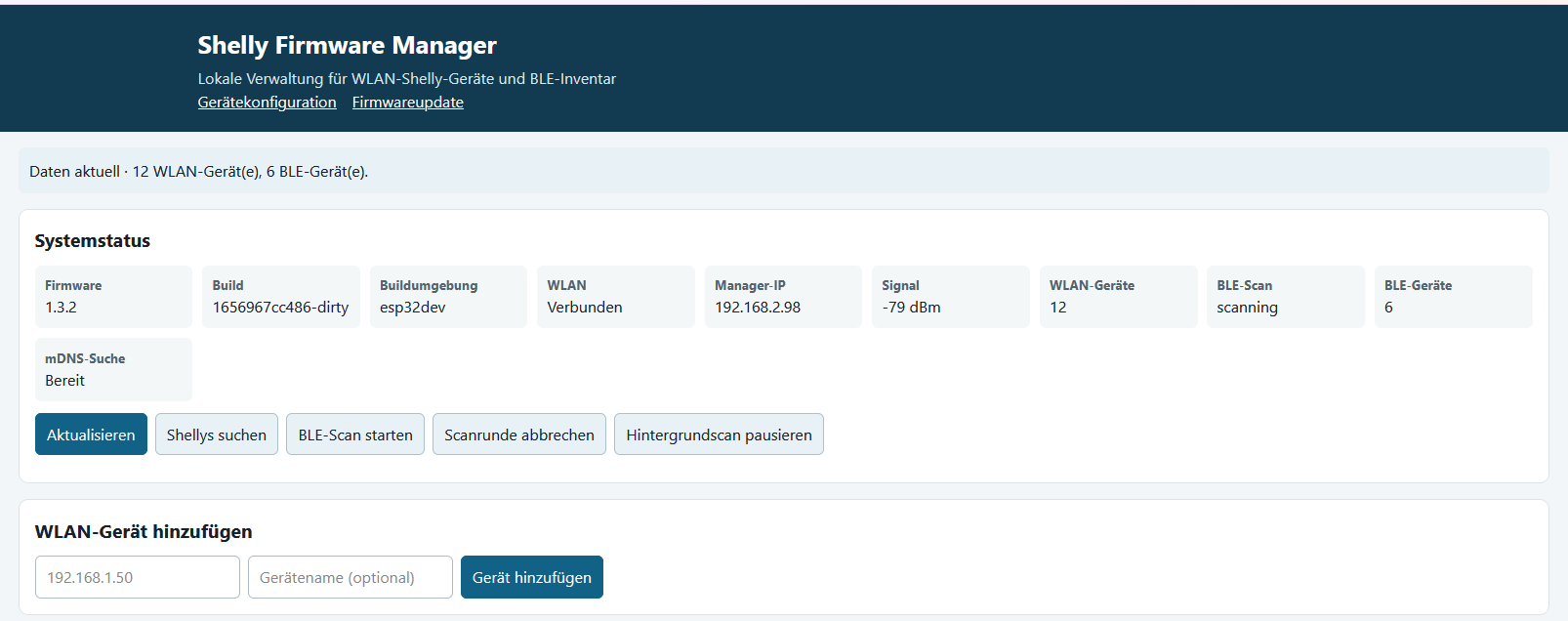
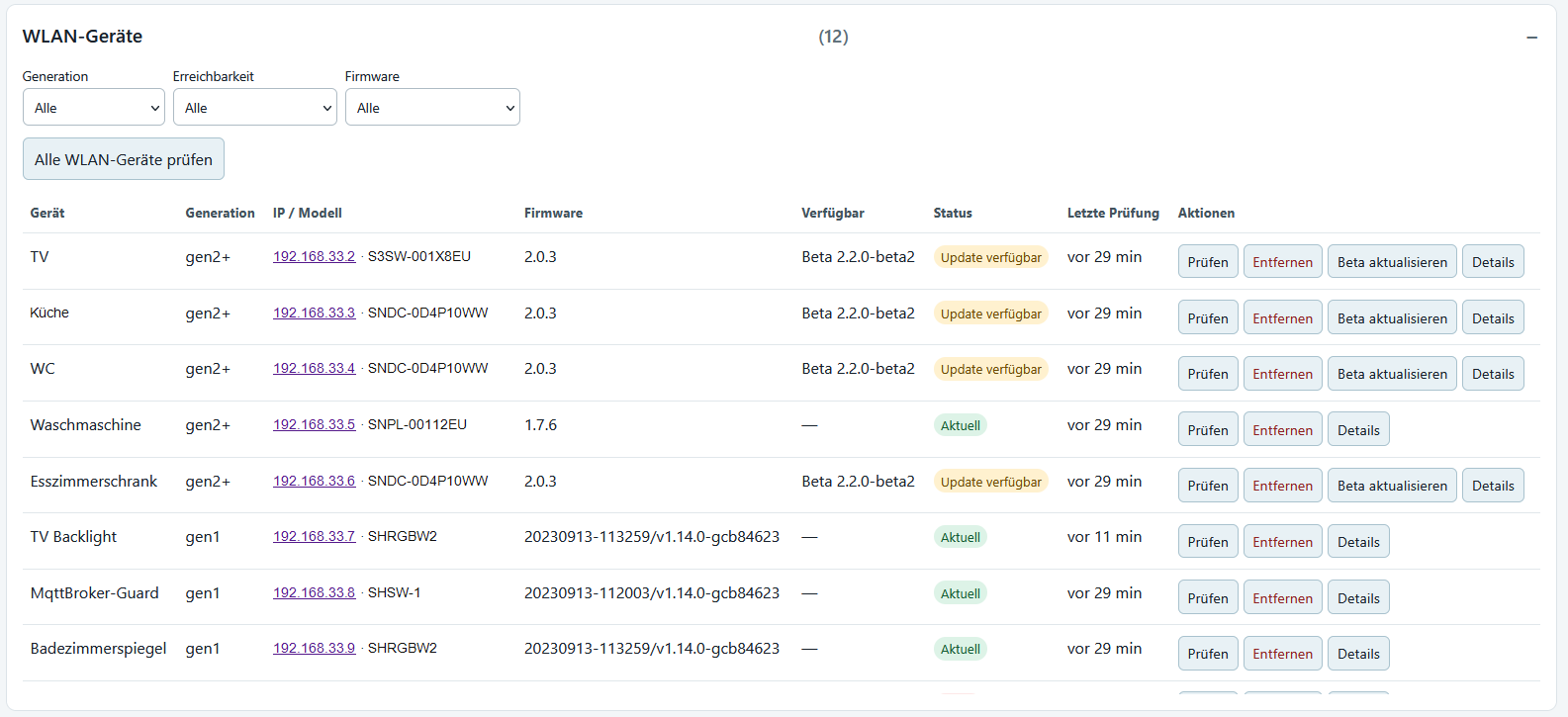
The interface also shows discovered Bluetooth devices and documents the status of completed firmware updates.
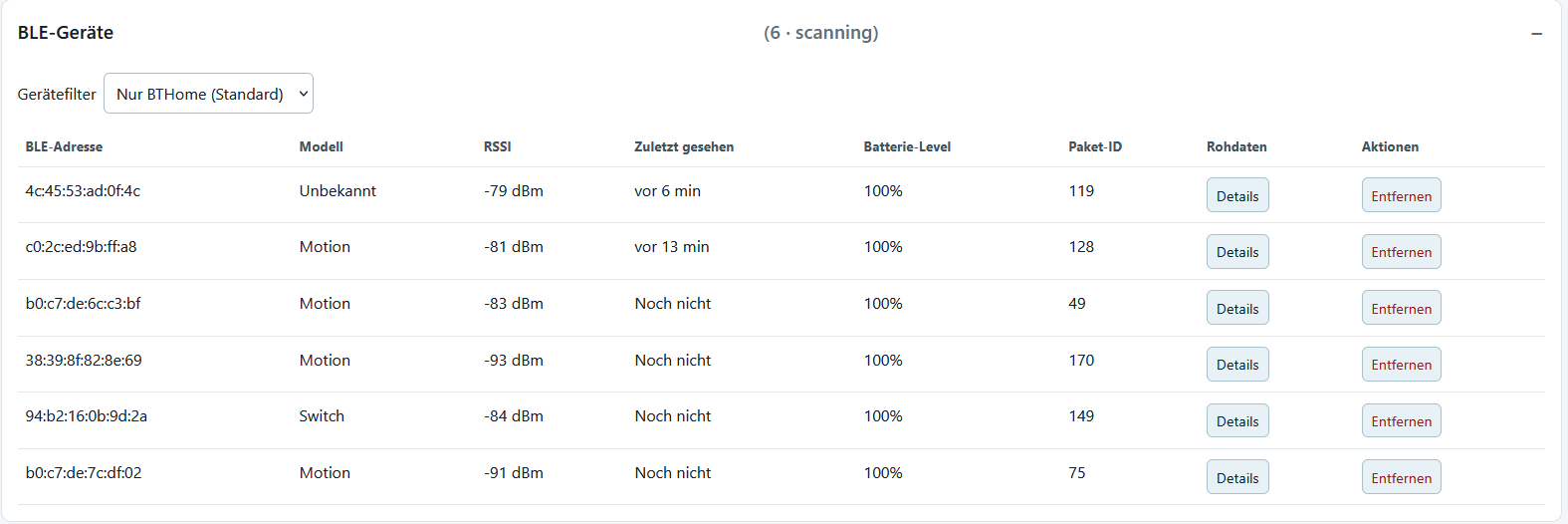
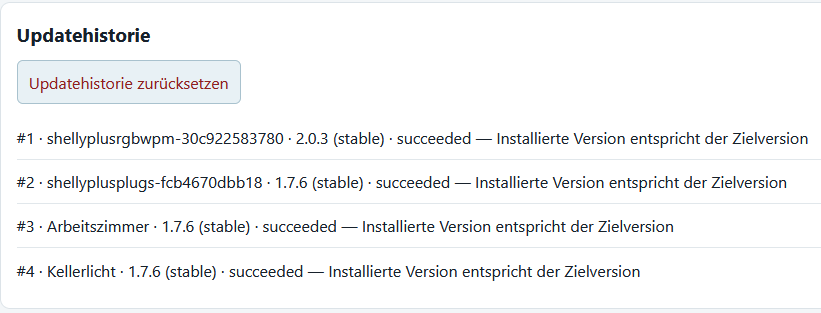
The approach is deliberately lean: the manager firmware runs on the ESP32 and serves the web interface directly.
Running multiple Shelly devices? A central firmware manager could simplify your day-to-day work.
If you need help flashing the firmware or setting up your ESP32-C6, get in touch.
The key points about the local ESP32 approach.
The manager is designed for Shelly Gen1 to Gen4 devices.
No. The manager firmware runs directly on an ESP32. The ESP32 also serves the web interface.
The ESP32 connects to your local Wi-Fi network. Open the web interface in a browser on a device on the same network.
Management and device discovery work locally. An internet connection may be required to check for and download new Shelly firmware.
Yes. The manager is free to use.
The firmware was developed and tested on an ESP32-C6 with 4 MB flash. Other compatible ESP32 boards will probably work as well.
The download area contains the current firmware and the installation guide.
Download the ZIP archive, extract it, and follow the step-by-step instructions in INSTALLATION.md.
Note: Your device management runs locally on your home network. No external server and no cloud account are required. "Local" refers to device management on the home network; fetching firmware may require internet access. Shelly is a trademark of its respective owner; this project page is not an official Shelly page.